
For couples
Run your home together
Nook keeps your shared bills, chores, grocery list, plants, notes and guest lists in one calm place for the two of you. Split costs 50/50 or by income, on Android and in any browser.
30-day free trial, no card needed. Only one of you pays: $25 a year.
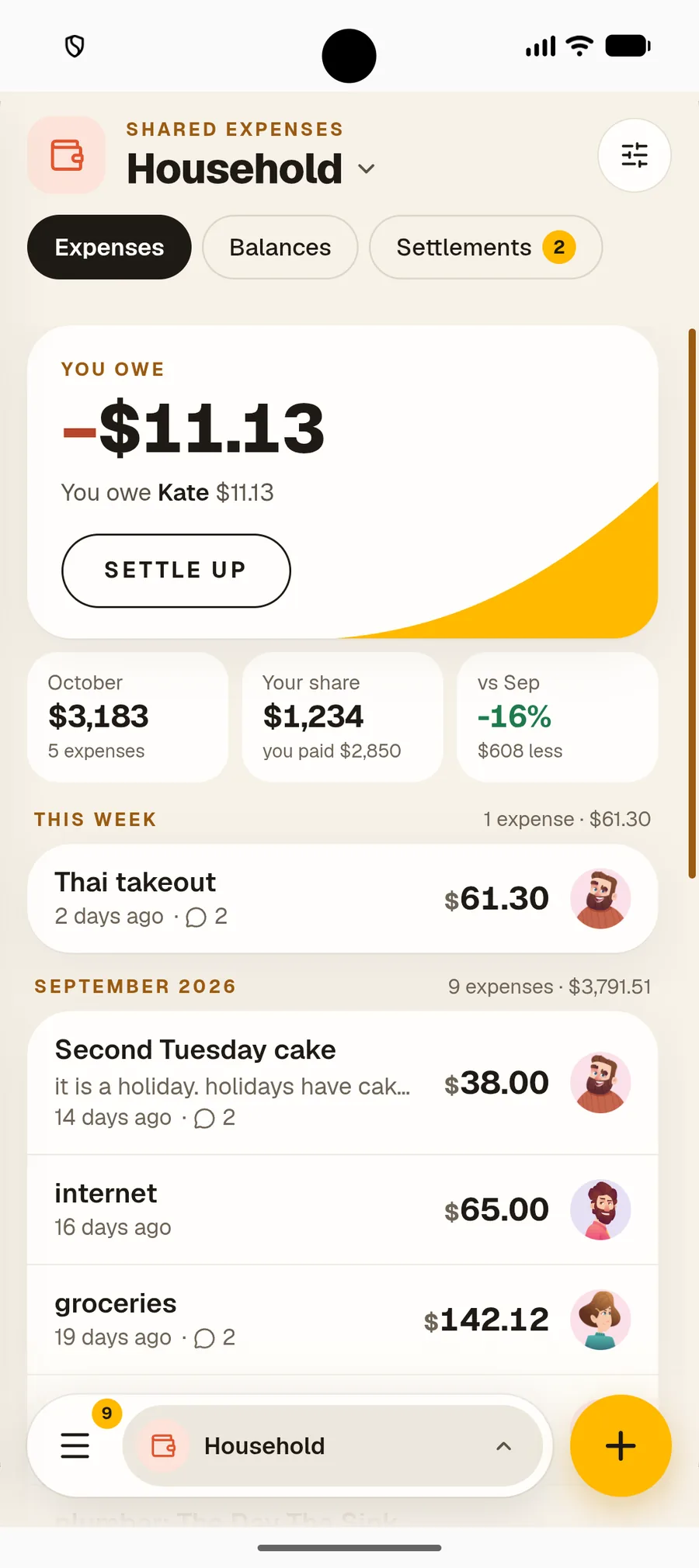


Shared Expenses
Split by income, not just 50/50
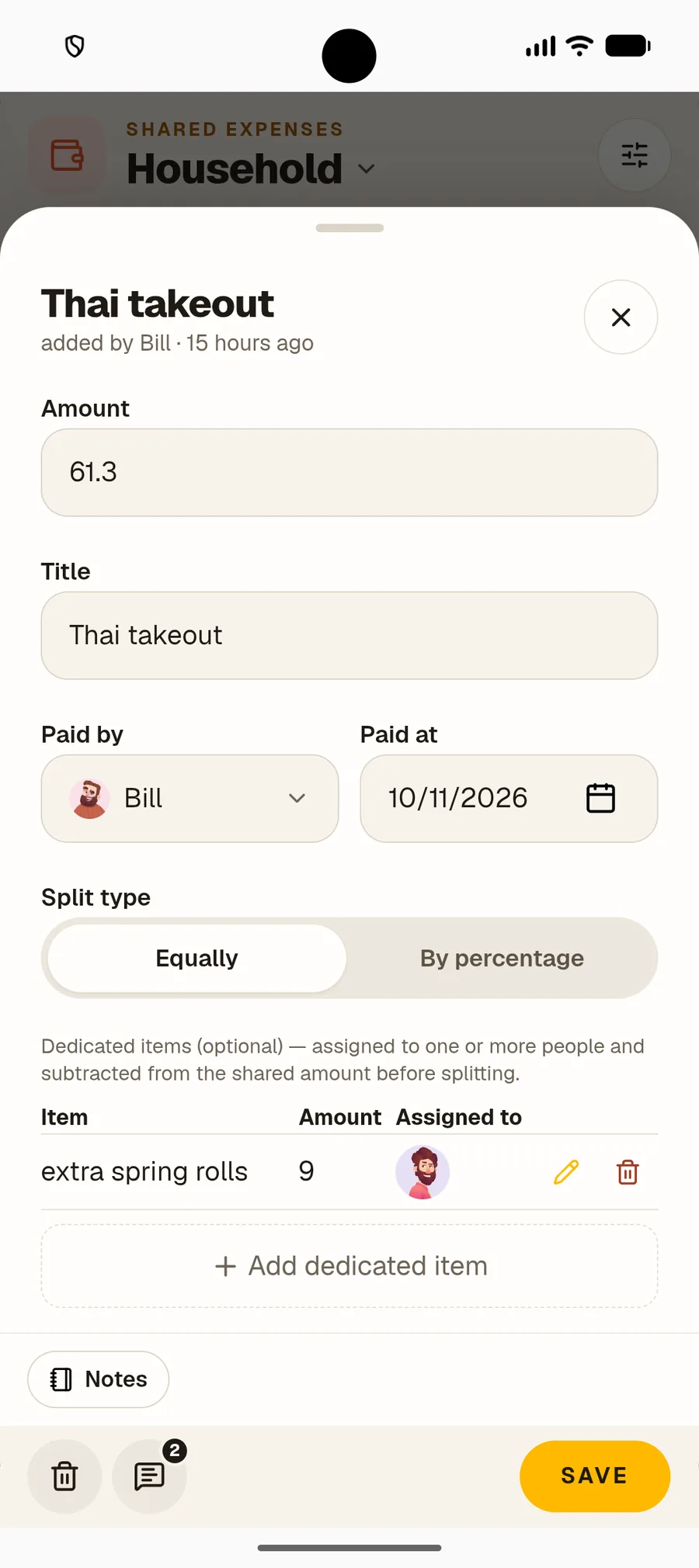
Earn differently? Split any expense by percentage, like 60/40, or keep it equal. Nook keeps a running balance, so you always know where you stand.
- ✓Equal or by percentage, per expense
- ✓See who owes whom at a glance
- ✓Talk it over with a comment on the bill



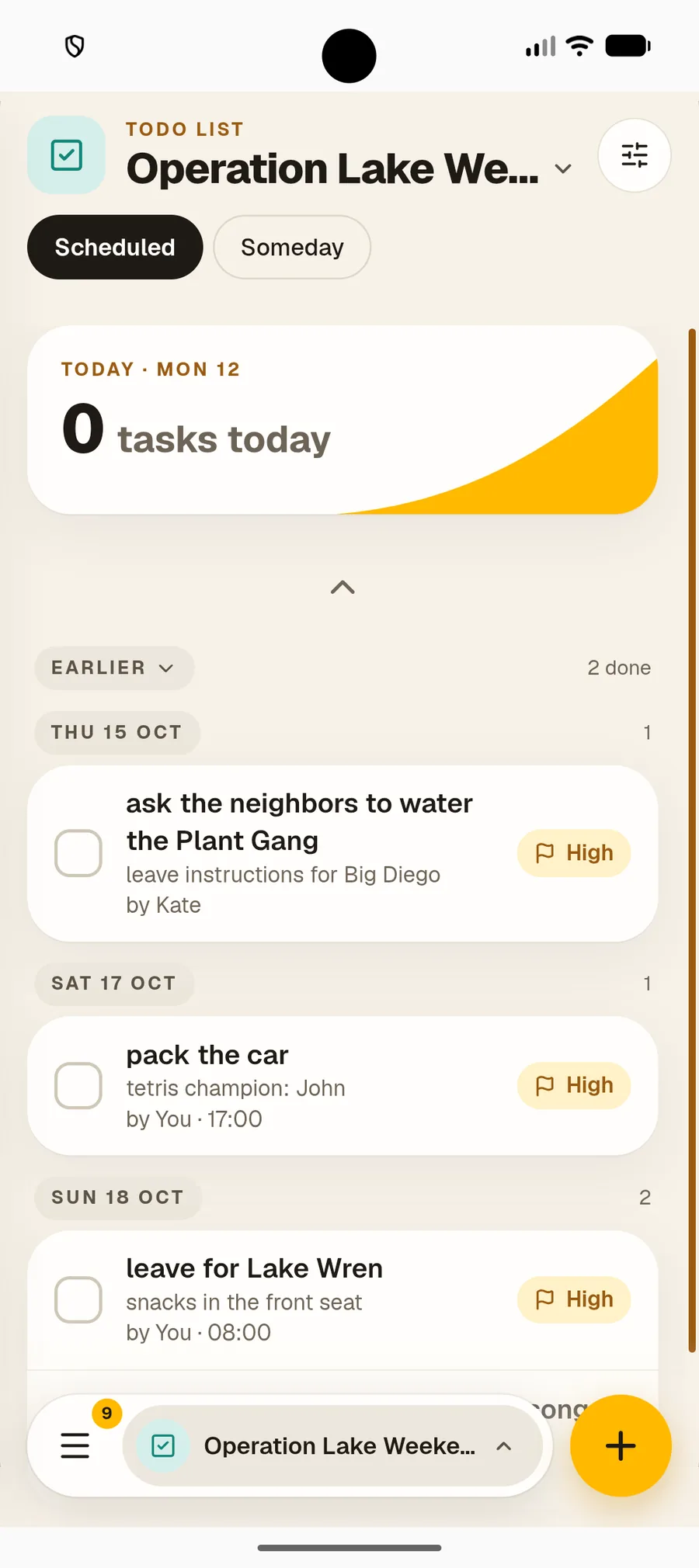
To-dos
Chores without the nagging
Put the jobs that keep your home running on one shared list. The list reminds you both, so neither of you has to.
- ✓Repeating chores, like the bins every Sunday
- ✓Assign a job, or leave it for whoever gets there first
- ✓See who did what, without keeping score



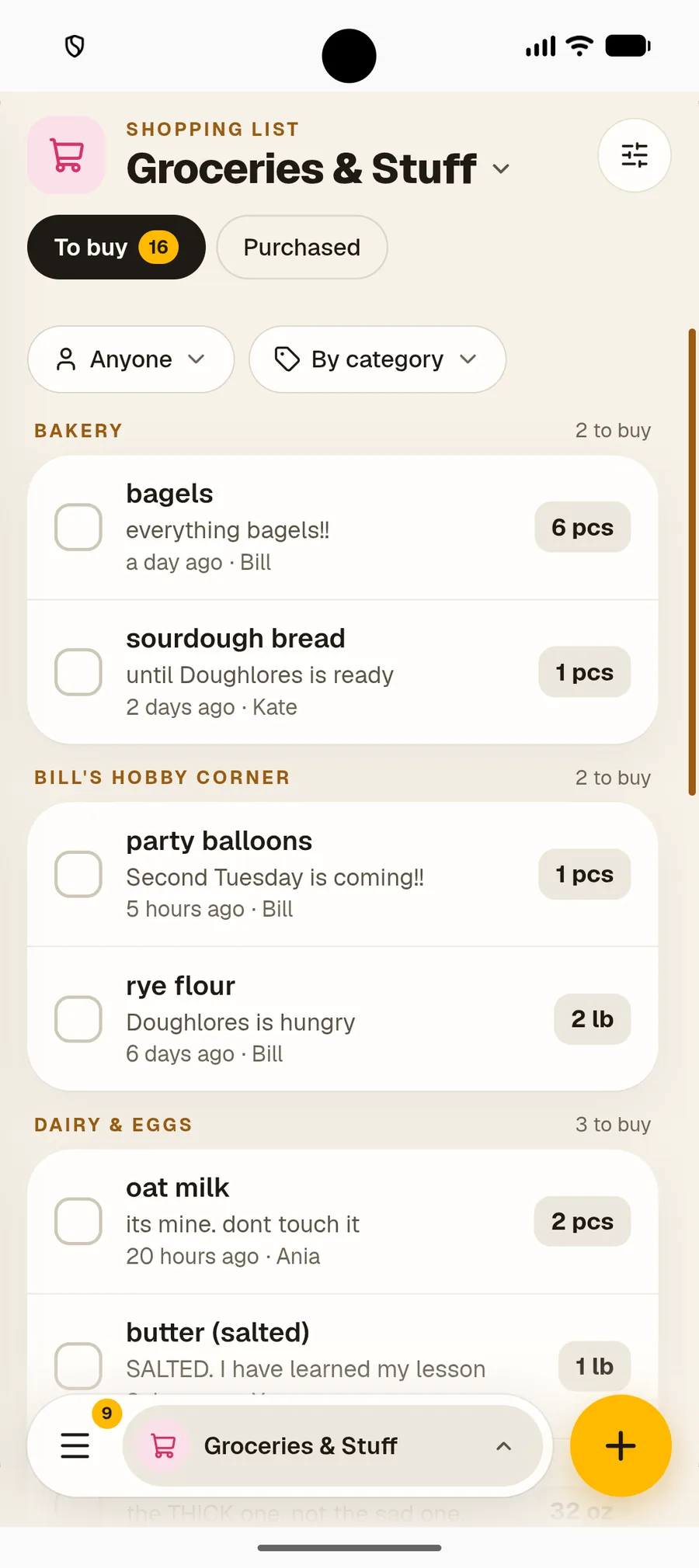
Shopping List
One grocery list for two
Add it when you notice it’s gone. The list is live on both your phones, sorted by category, with who is buying what. No more buying milk twice.
- ✓Live on both your phones
- ✓Sorted by category, like the shop
- ✓Separate lists for the weekly shop and trips


Plant Care
Plants you both forget
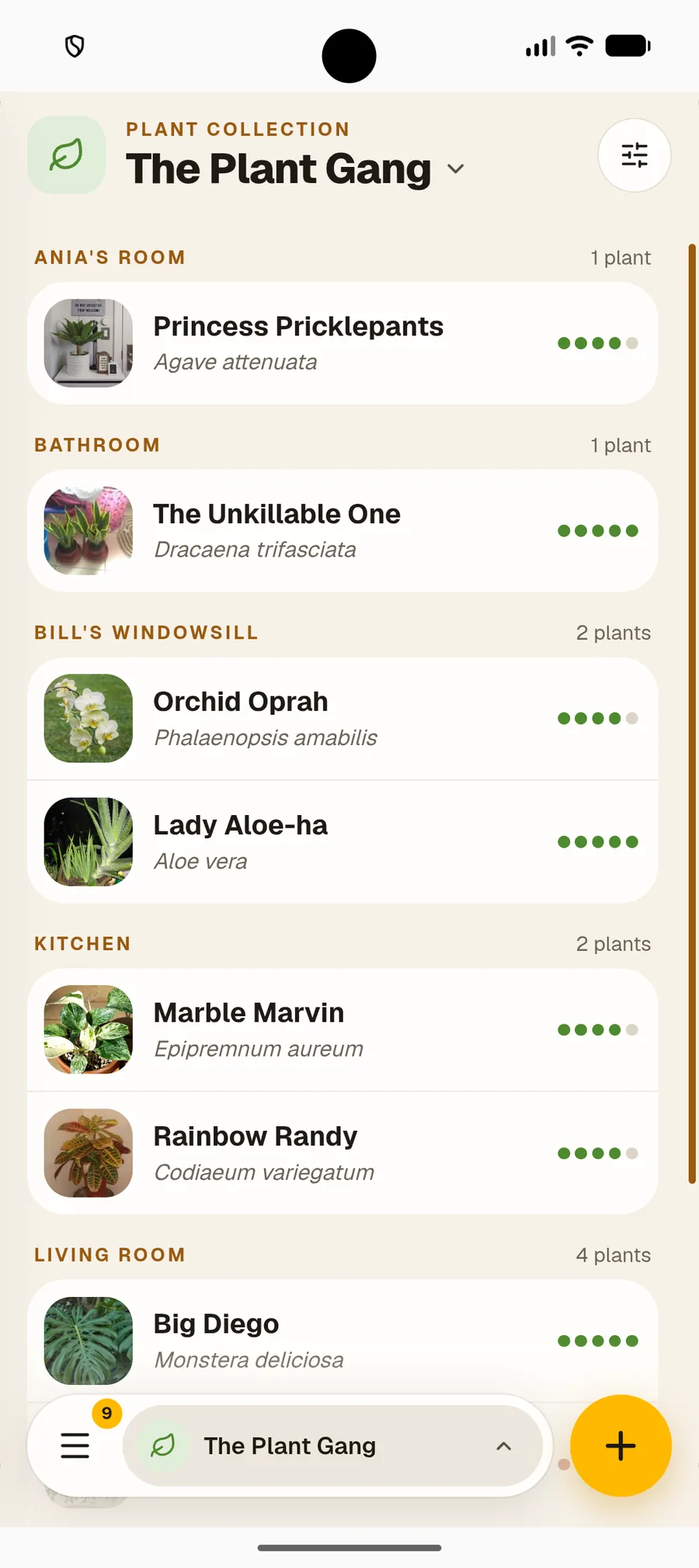
Snap a photo and Nook names the plant and sets its watering schedule. You both see what needs water today.
- ✓Identify plants with a photo
- ✓Reminders when it’s watering day
- ✓One plant collection for both of you


Notes
Plans and passwords, in one place
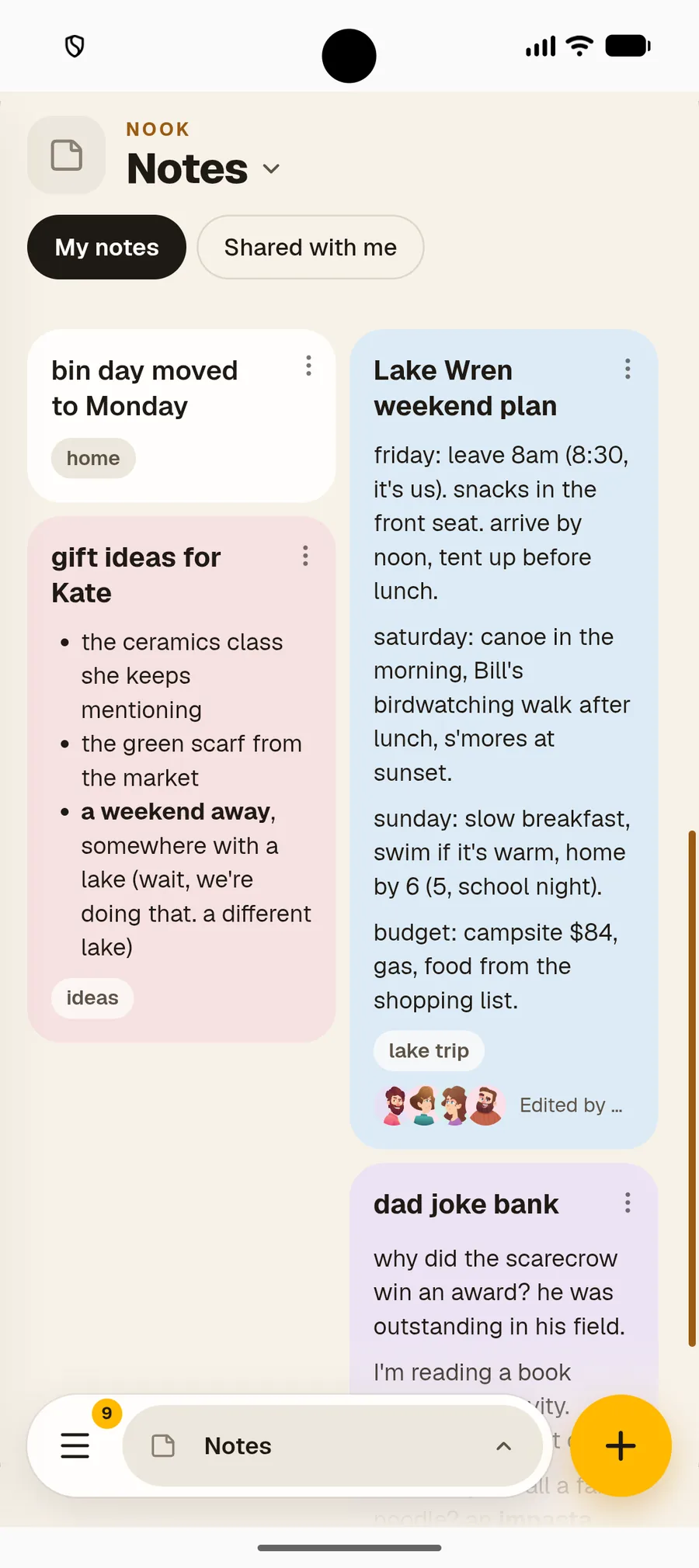
Keep the weekend plan, the wifi password and the films you want to watch in notes you can both open. Gift ideas can stay in a note only you can see.
- ✓Notes and checklists you can both edit
- ✓Private notes stay private
- ✓Pin, colour and tag every note


Guest List
Plan the wedding together
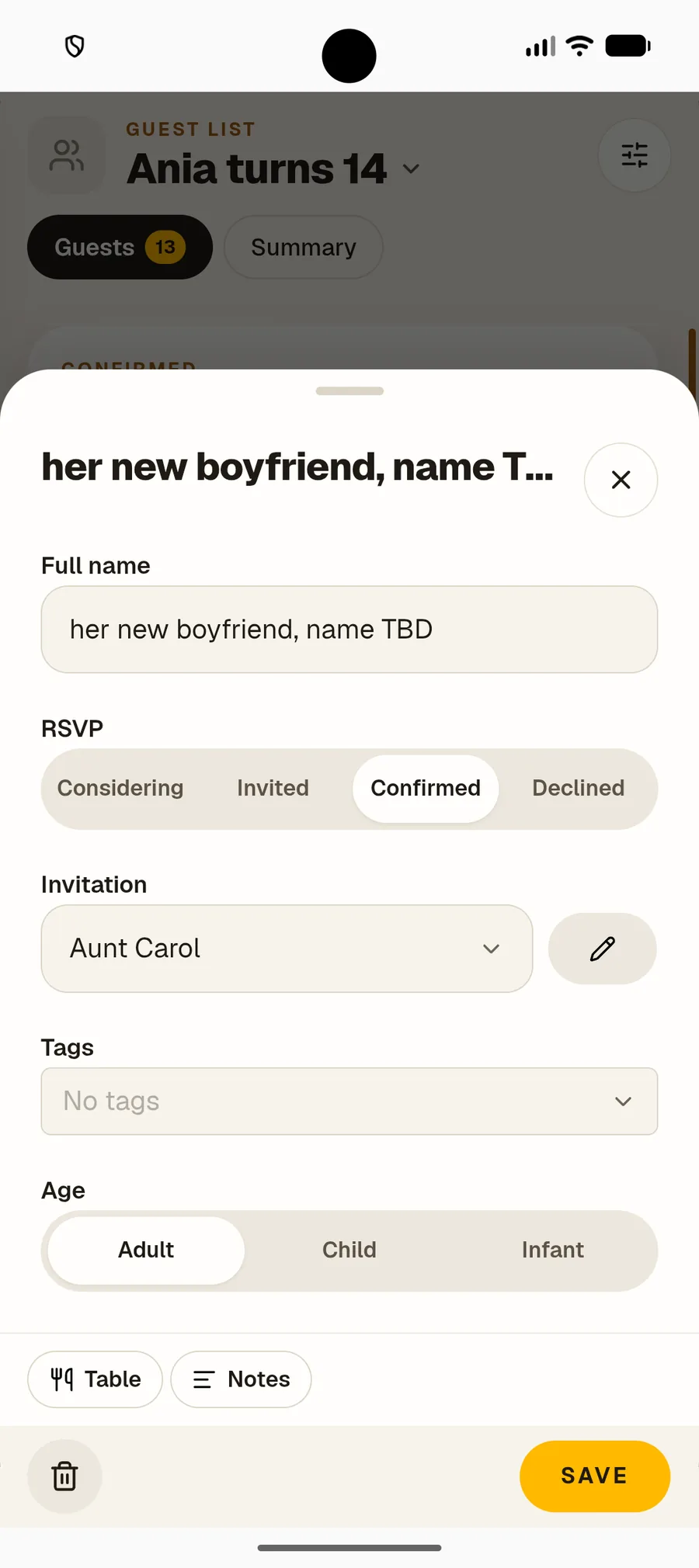
From the engagement party to the wedding itself, keep every guest in one list you both update. Track RSVPs and plus-ones, group guests by invitation and tag dietary needs.
- ✓RSVPs and plus-ones in one list
- ✓Group guests by invitation, one per family
- ✓Tags for dietary needs or whose side they’re on


One subscription
Only one of you pays
One subscription covers your home. Invite your partner for free, with full, unlimited access to everything you share.
-
 01
01Start free
Create an account and get 30 days of full access. No card needed.
-
 02
02Invite your partner
Share the bills, the chores and the grocery list. Your partner joins free.
-
03
Keep it going
$25 a year for the two of you. If you stop, your data waits for you.
Common questions
Good to know before you start
Does my partner need to pay?
+
No. Only one subscription is needed. Invite your partner, family or roommates for free — they get full, unlimited access to everything you share with them. To create their own lists, expenses or plants, they need their own subscription.
Can we split bills by income instead of 50/50?
+
Yes. Split any expense by percentage, for example 60/40 by income, or keep it equal. Nook keeps a running balance of who owes whom.
Can we still have our own lists?
+
Yes. You choose what to share. Keep your own to-do list next to the shared ones, and share only what belongs to both of you.
Is Nook a budgeting app?
+
No. Nook tracks the costs you share and who owes whom. It doesn’t connect to your bank or tell you how to spend.
Start today
Try Nook free for 30 days
Full access, no card needed. Invite your partner for free. After that it’s $25 a year for every module, on Android and in any browser.